So I decided to create my own note taking app
Create an android note taking application using ionicframework.

Introduction
Writing down notes is one of the basic usages of a phone, I tried a lot of note taking applications in the past years but none of them fit my needs.
so I decided to create my own.
What I expect from a note taking app
The key features I’eve always want from a note taking app are:
- Free! no one should ever pay for a note taking app
- Minimalistic formatting, I need to write text and have it readable and organized
- Import and export note to a portable format
- But what I want the most,is gathering some information in my note without adding them myself
Meet Snapshot
The name stands for the fact that the application will capture the following information whenever you add a note:
- The time and date
- The location as an address
- The current weather
- The current battery level of the device
And then you have the choice to add a title and content to the note or not!
The best part about Snapshot since I’m a big fan of markdown myself:
- The notes content is that it supports Markdown syntax, but it’s not required
- The content of the note is rendered in HTML
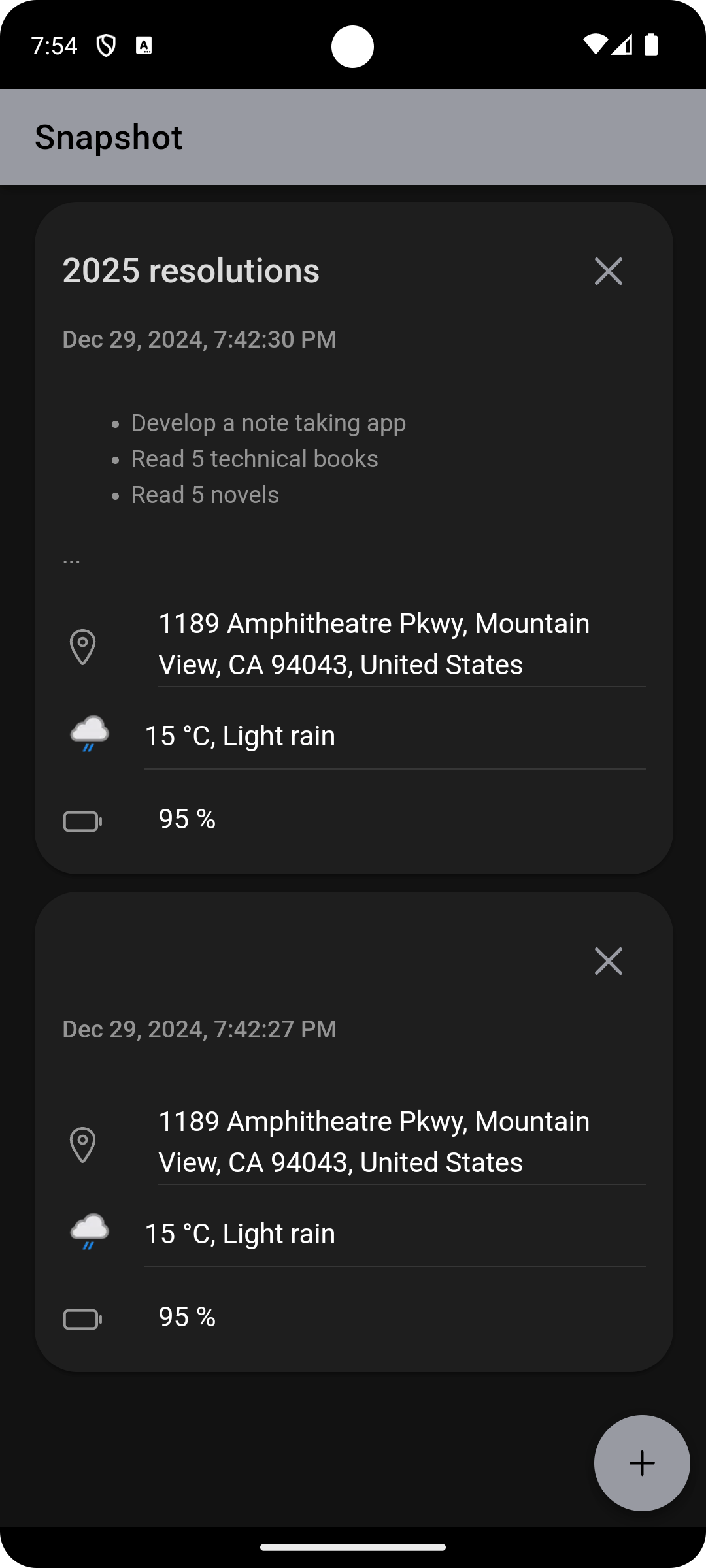
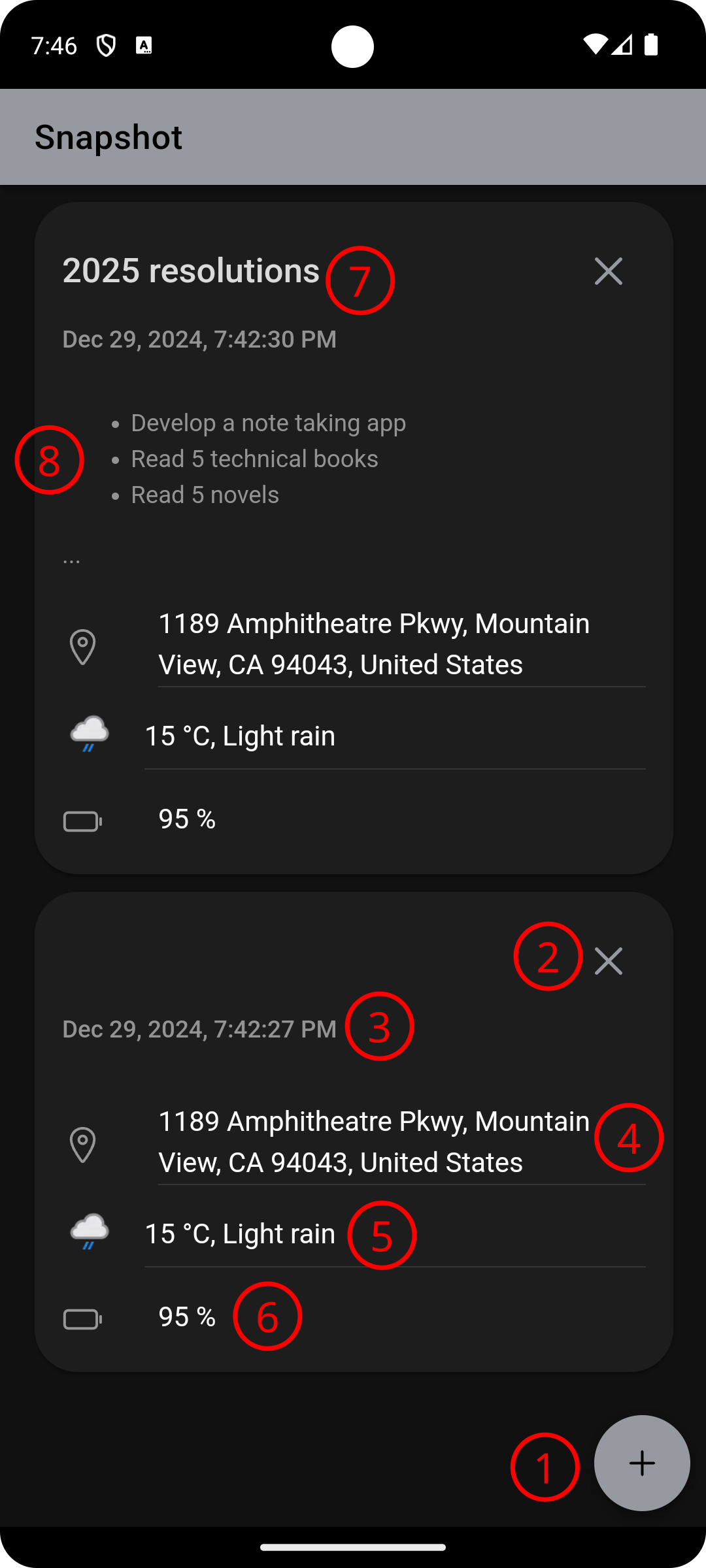
Main interface elements
Home screen
See image below:
- Add button, to add
- Snapshot: not without prompting, it contains no title and no content, of course you can add them anytime you want by editing the note.
- Note: The user will be asked for a title and a content of the note, content supports markdown syntax.
- Delete button, when it is hit, the user will be prompted to confirm the removal.
- The date of the note added automatically, it’s not updatable.
- The address where were the user when he added the note, not updatable neither.
- The weather at the moment of note taking, you guessed well, the user can’t change it.
- The battery level when the user added the note.
- The title of the note, in text only format
- The content of the note, in text or markdown format
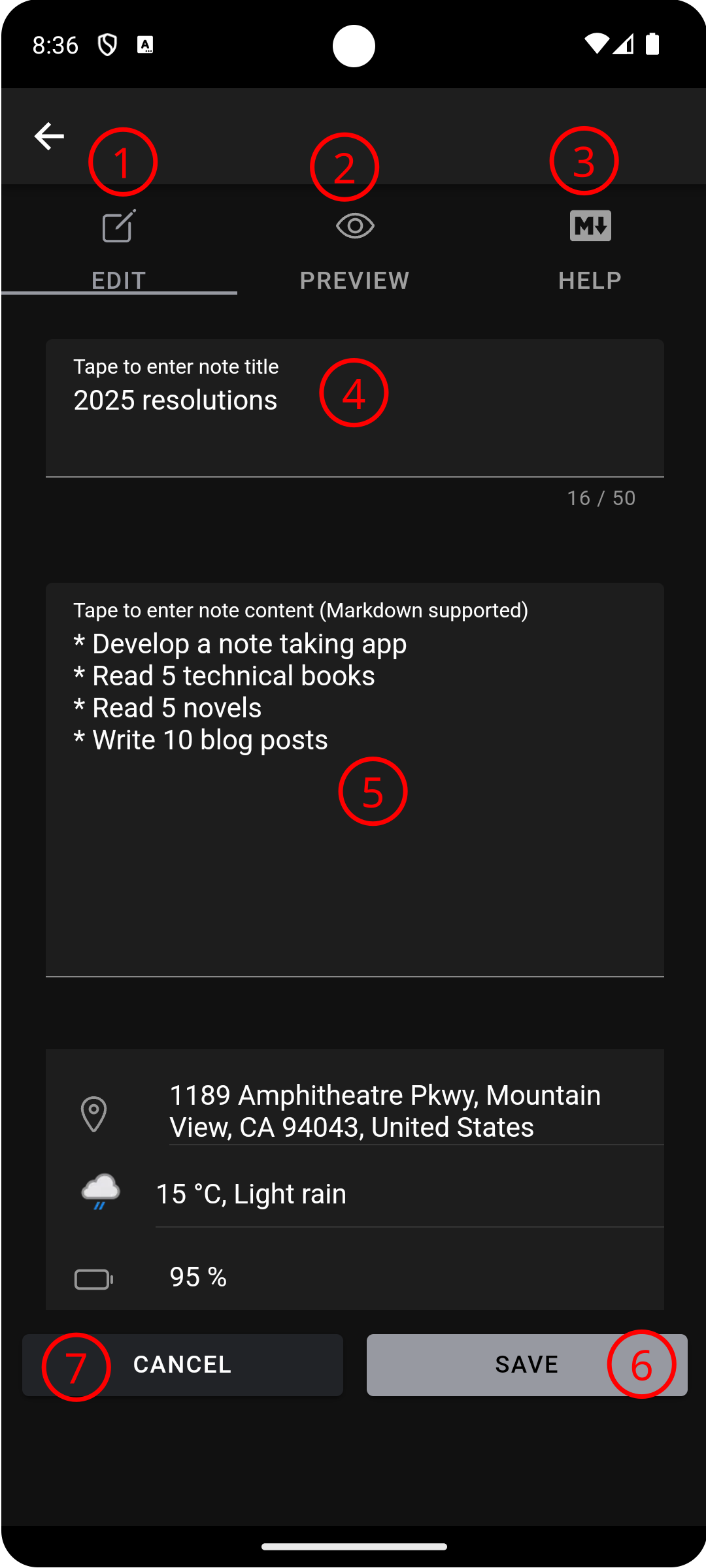
Note screen
If you click any note the bellow screen will be shown
- Write down/ edit a note
- Preview the note the user is writing
- Markdown minimalistic help
- The notes title
- The note content
- Save the note
- Cancel note adding, if clicked the user will be prompted for confirmation
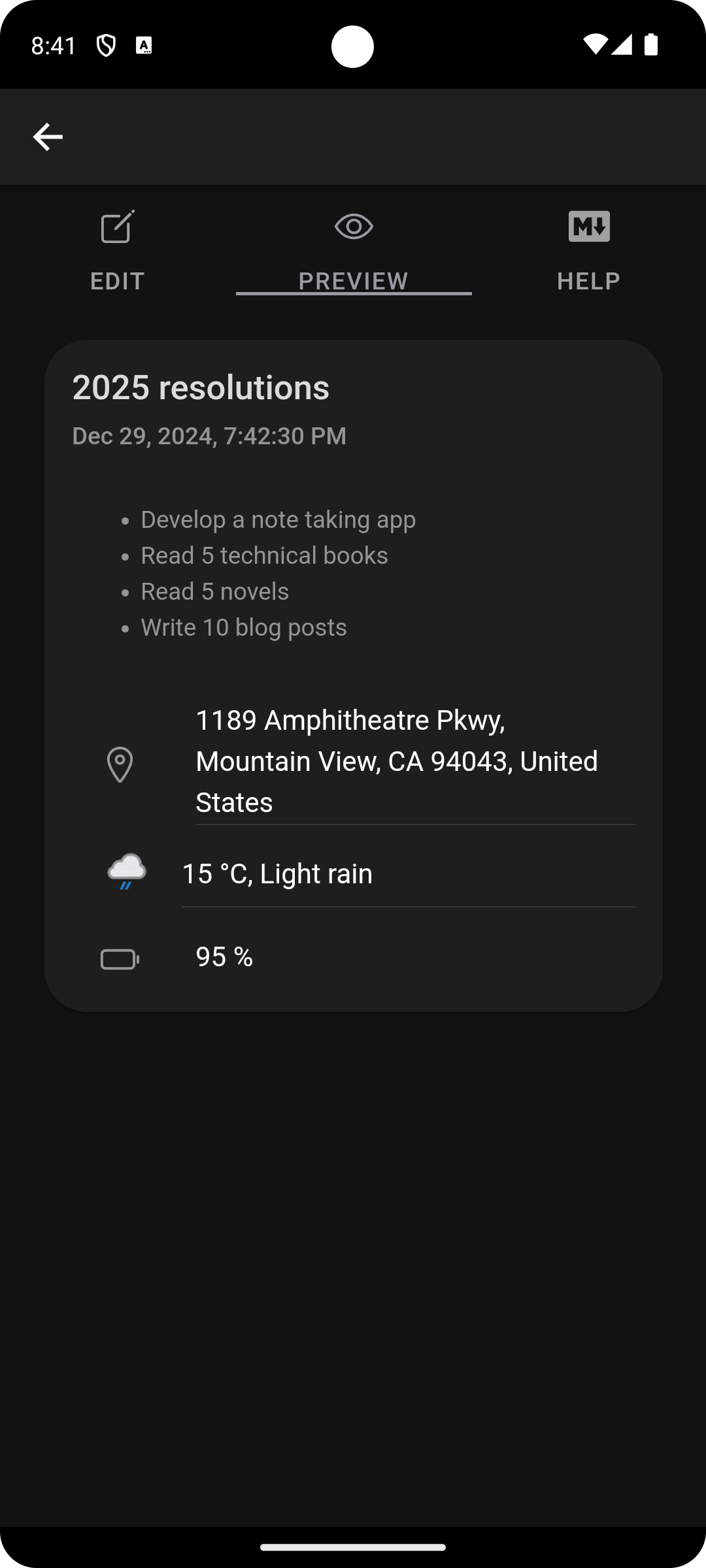
Preview screen
This screen shows the note with all ut’s details, if markdown syntax is used the content will be rendered, see the following screenshot
What’s next
Many other features are coming, for instance:
- Export a note to many formats
- Import a note
- Searching
- Note color
- Note mood
- Note icon
- and more …
How can I try the app
Euh, oh well …
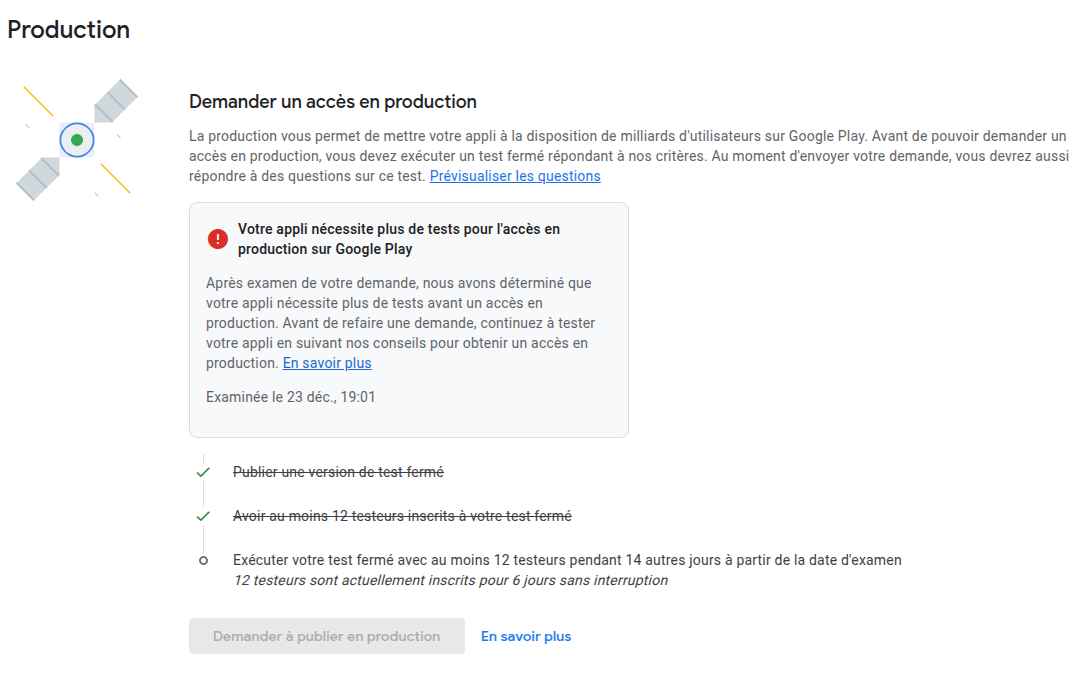
The application is in closed test phase on google play store, 14 testers are needed to test the application for 14 days, at the moment of writing this blog post the number is 12, it seems that the release of the application will not be done soon.
If you are interested in testing please let me know so I will add you to the testers list, so google play store will allow you to install and test the application.
Web version
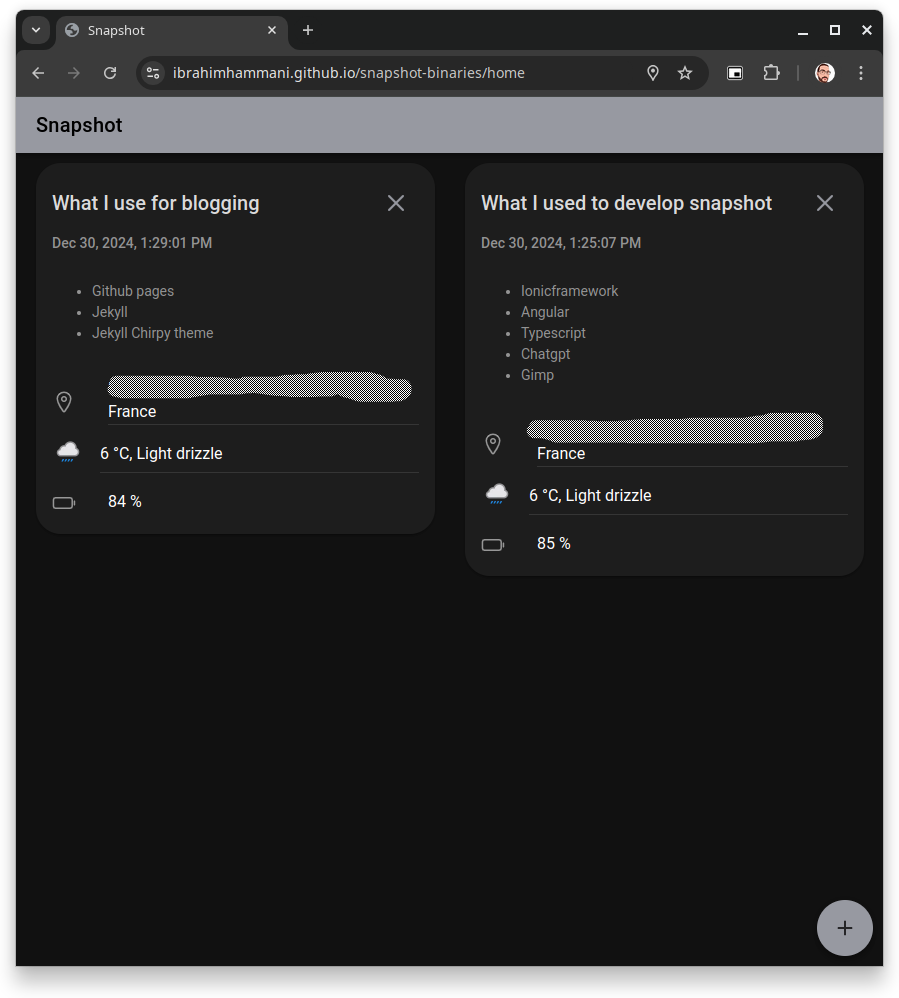
A web version is available on this link, note that all the notes are saved on the local storage, no user data is saved on the remote server.
Want to know more
This blog post is the first of a row of posts I will write whenever I have time to, In the next posts I will talk about the technical details and google play console.